
Boomframe

Warframe (a video game I play) has over 3000 tradable items. Each of them has a unique market value that fluctuates based on demand and supply. Boomframe helps players track these values and make informed decisions about their in-game purchases. It also assists with relic openings, helping you choose which item is the most profitable for you
How we got there
I have remade this project from the ground up 2 times now to improve its functionality and user experience. The first iteration was a basic implementation, while the second was a complete overhaul with a focus on performance and user interface. The third iteration is the current version, which is simpler and has less features, but still maintains core functionality. You can find the source code on my github profile, however for reasons that will be explained below, only the current version is suitable for public use.
Why did I make this project?
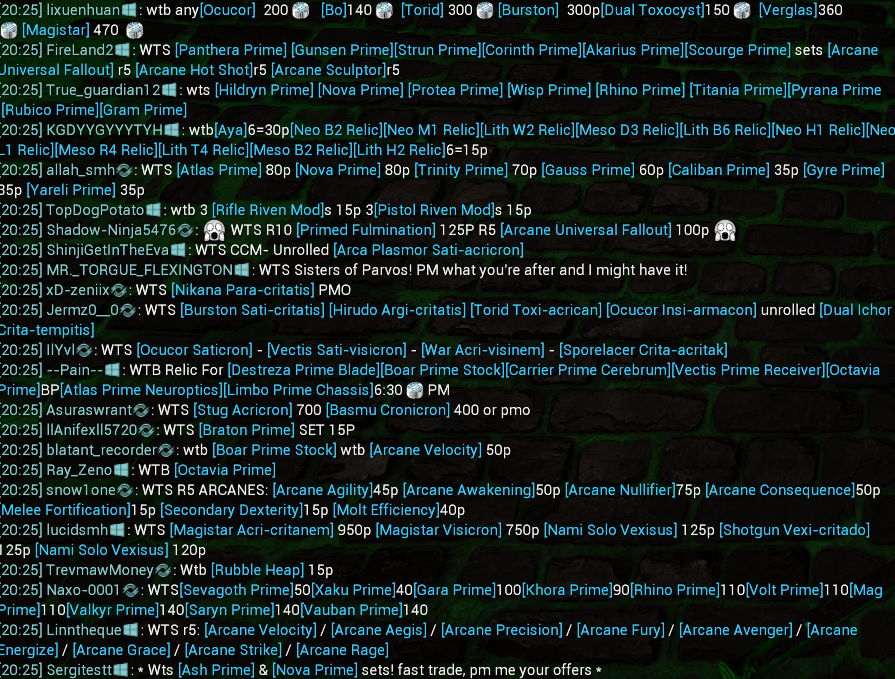
Warframe is a pretty unique game in that it lets you use the premium currency, platinum, to trade for in-game items. This not only happens in the store, but also between players in the game, which most other games don't allow. This has led to a very dynamic and robust in-game economy, with all items having some value of platinum assigned to them as market trends evolve. At the same time, the game has a dedicated channel in the chat for selling, buying, and trading in-game items. This combination has led to a very chaotic, fast pased, and speculative market. As you can see in the image above, a plethora of messages are sent every second, and reading through all of them when trying to buy a specific item, or competing with them when selling, has become a very tedious endevor.
As a result, someone created a third party website to help players navigate this complex market, allowing them to post asynchronous buy, sell, and trade requests. This lets you sort and manage all the requests for an item online, even when not in game. You still need to be in the game to complete the transactions, but you can manage them online. This is an amazing tool, and what I saught to improve upon. The app itself has a robust API, letting users utilize it to create their own custom applications and integrations.
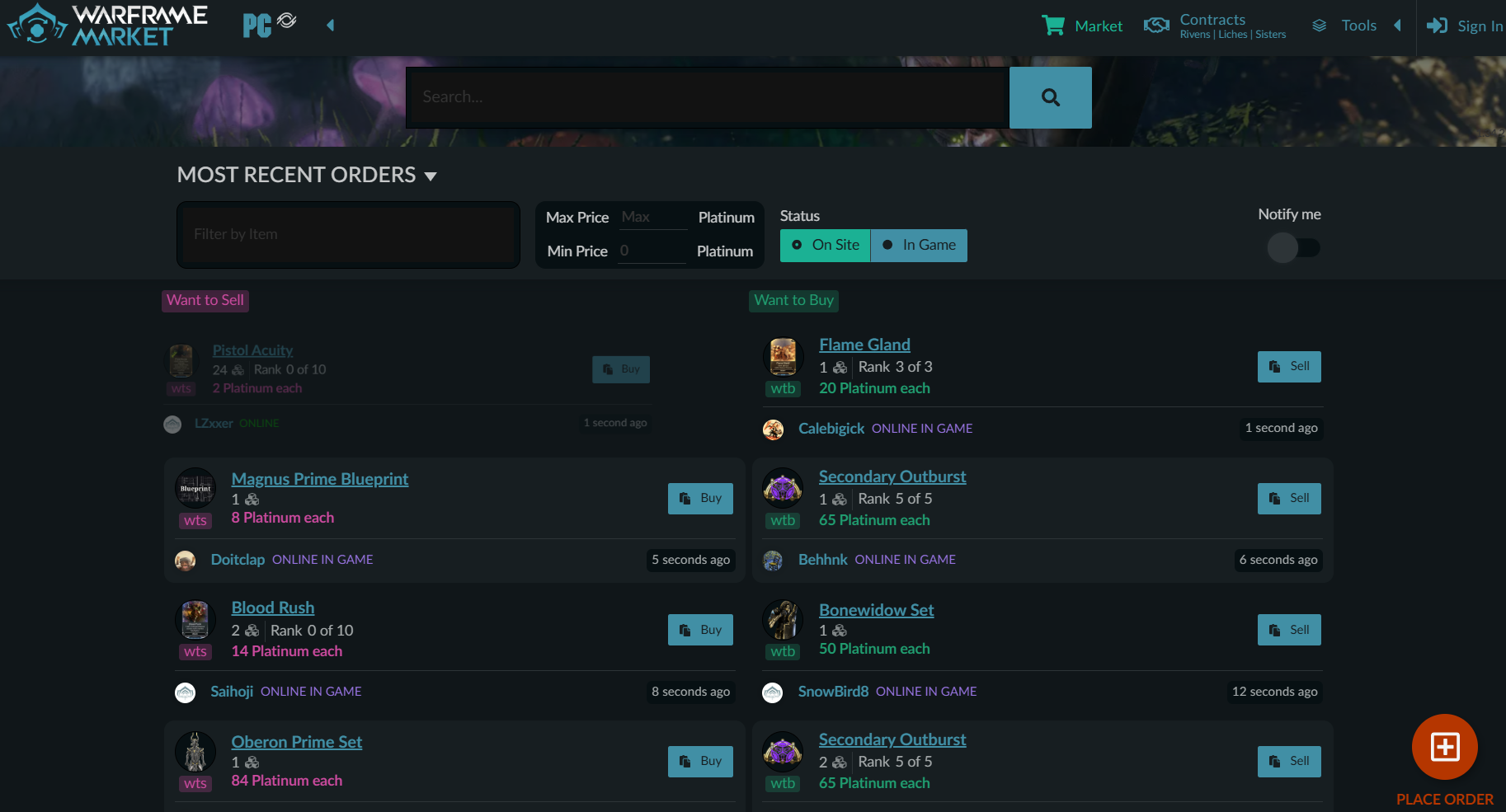
My app does not change any data or automate posting of requests. The default market app is a website, with images, all types of requests, and other content all being requested from the server every time you search a different item. This slows down the loading times, and is not ideal if you need to compare multiple items quickly or at once. This is where my inspiration came from.
The final piece of the puzzle is relics. They are ingame mini lootboxes which are obtainable through various means in the game. To open them, you must complete a mission ingame alongside a party of 3 other players. Each different type of relic contains 6 different items of various rarities it can contain. This means that when you open a relic, you have a total of 4 choices to pick from, all with a time limit of 15 seconds to choose the desired item. As stated earlier, each have their own value, which can vary significantly based on the current market conditions. If attempting to maximize the value of the relics rewards, you need to be able to get this information quickly and easily. My goal was to simplify the information proccessing and display for users, meaning they can get updated information on at least 3 of the items before the time limit is up.
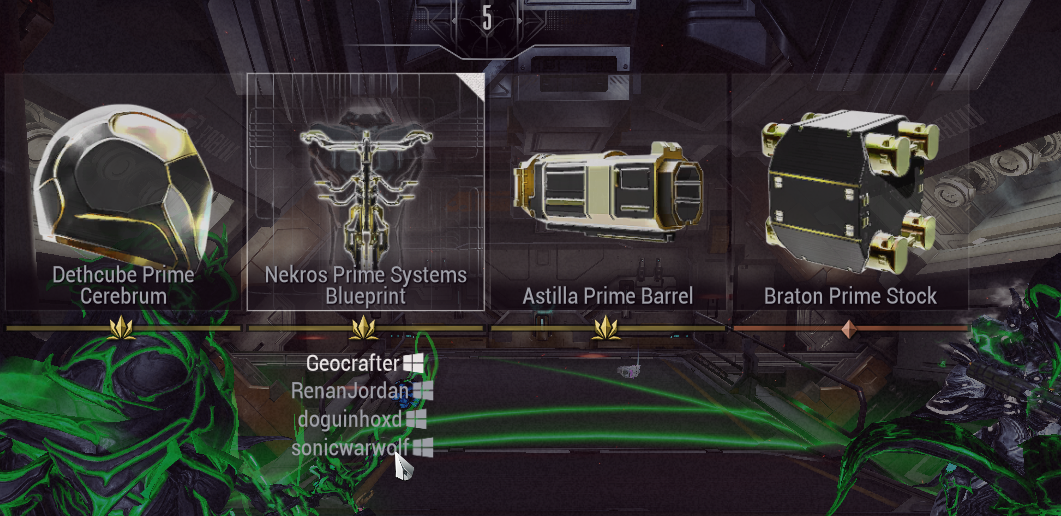
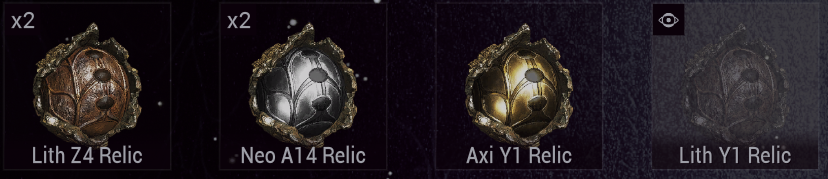
By speeding up loading, and using asynchronous data fetching, my app provides a more responsive and efficient user experience and allows users to focus on making informed decisions rather than waiting for data to load.
Why so many versions?
There are multiple versions of the app because I was learning throughout the entire process. Each version builds upon the previous one, adding new functionality and improving the user experience.
The first was my initial foray into the world of APIs and application development. This version was created shortly after the Market API was released. It had a basic user interface and limited functionality, only allowing for synchronous data fetching and display of a single item at a time.
The second version was a significant improvement over the first, with a focus on performance and user interface. It had a more robust user interface, allowing for asynchronous data fetching and display of two items at once. It also had a more robust search functionality, allowing for searching by item name or type, as well as abreviations commonly used in the game. This still used the v1 API, and I managed to build the application into an executable file. I never got around to automating the executable however, since about a month after I created it and was testing it ingame to determine its effectiveness, the v2 API was released. I had also slowed down playing Warframe at this time, preferring to work on other projects rather than cleaning up the build process and installation for other users. I removed anything relating to an executable file from the second version, since it crashed and hanged indefinitely when trying to run it due to not being able to reach the v1 API.
The third version is the current version, which is a complete rewrite of the previous versions. It uses the v2 API, and has a much simpler interface. This was done because the v2 API changed the way data is structured and accessed, requiring a complete overhaul of the application's architecture. I also still do not play Warframe regularly, but some of my friends use this version and have provided feedback that it has helped them in their gameplay. If you wanted to use the app, this is the version you should try.
How to use:
To run, you need to have installed python and the required dependencies on your system. After that, clone the repository and run the application using the command line or by double clicking the python file from your file explorer. To use the application, simply navigate to the search bar and enter the item you want to search for. It should display the available options based on your entered characters, and let you select the desired item. After that, the relevant data will be displayed. Have fun in game, and happy relic hunting!